gjGPXPreview
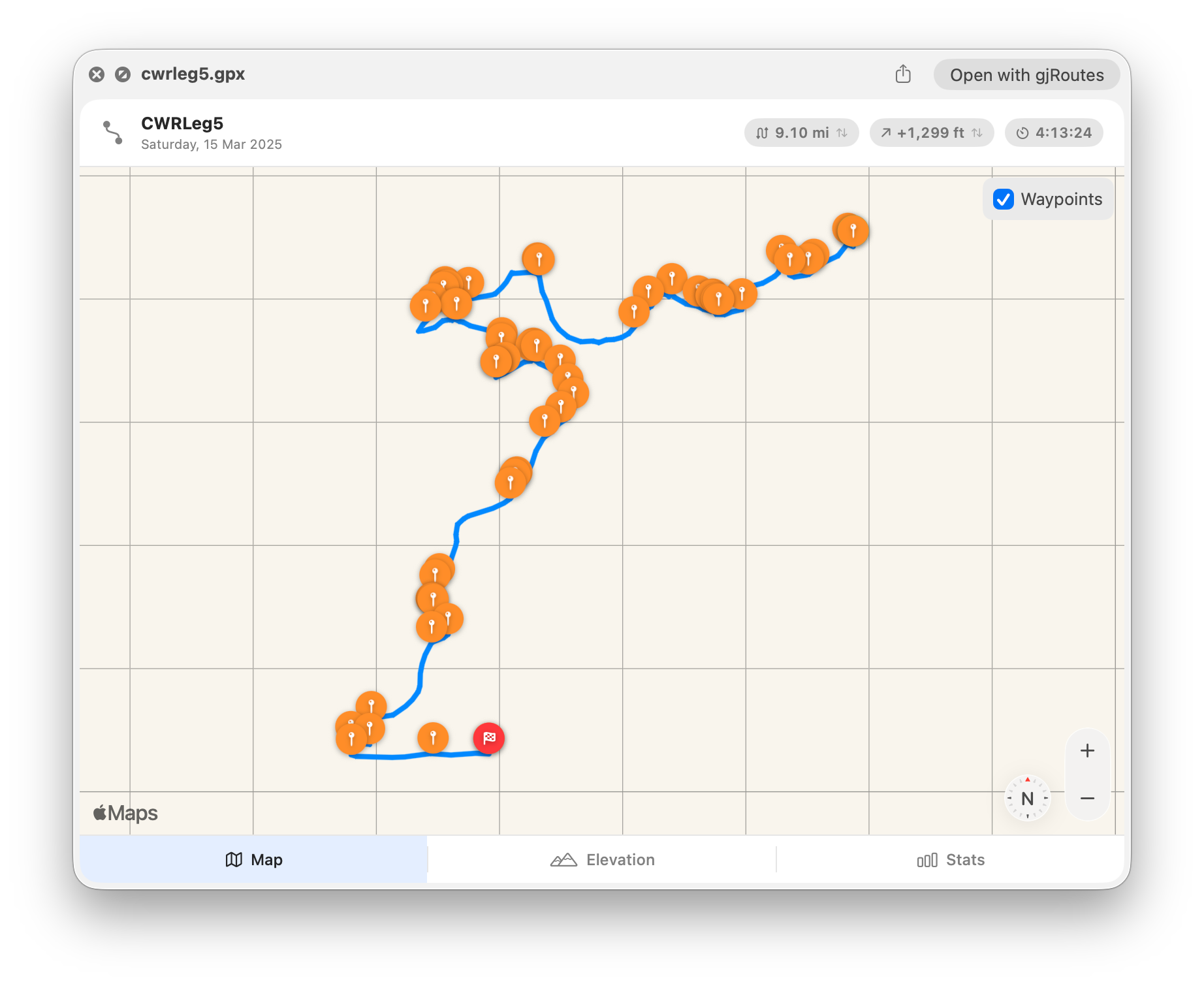
 Quick Look GPX Files in macOS Finder.
gjGPXPreview is a lightweight macOS QuickLook extension that lets you preview GPX files directly in Finder — no app to open, no import needed. Just select a .gpx file and press Space.
Map View
See your track or route plotted on an interactive map with gradient-coloured polylines. Start and finish markers are placed automatically, and tracks are distinguished from routes with different colour schemes and line styles. Toggle waypoint markers on or off with a single click.
Elevation Profile
View an elevation chart that plots altitude against distance for every track and route in the file. An area fill highlights the profile shape, and a summary bar shows minimum elevation, maximum elevation, total gain, and total loss at a glance. Multiple tracks and routes are drawn as separate colour-coded series with a legend.
Statistics
Browse detailed statistics including total distance, elevation gain and loss, moving time, elapsed time, average and maximum speed, start and end times, and point count. A metadata section shows the file name, description, author, creation date, keywords, and any embedded links.
Imperial and Metric
Switch between miles and kilometres for distance, and between feet and metres for elevation, using the quick-stat chips in the header. Your choice is reflected across the map header, elevation chart, and statistics view.
Multiple Tracks and Routes
Files containing more than one track or route are fully supported. Each is drawn with its own colour on the map and as a separate series on the elevation chart, with per-track start and finish markers.
Features:
- Interactive map with gradient polylines and start/finish markers
- Toggleable waypoint markers
- Elevation profile chart with area fill and summary statistics
- Detailed statistics with distance, elevation, speed, and timing
- Metadata display including author, links, and keywords
- Switch between imperial and metric units
- Multi-track and multi-route support
- Automatic activity icon detection (running, cycling, hiking, and more)
- Native macOS app built with SwiftUI
gjGPXPreview is available for a small fee, there are no ads, and you can download it from the App Store using the link below.

Privacy Policy
The policy applies to all information collected on gjGPXPreview’s website and our apps for Mac and any other devices and platforms.
TL;DR
Your data is your data
We don’t collect any personal information
We don’t use trackers or analytics
We can’t read your GPX files
Information Collected
No personal information, location data, or usage analytics are gathered. gjGPXPreview processes GPX files entirely on your device. Map tiles are loaded by the system MapKit framework under Apple’s own privacy terms.
User Consent
By using our website or apps, you consent to our privacy policy.
Contact Us
Questions about this privacy policy can be directed to jermware@mac.com.
Changes to this Policy
If we decide to change our privacy policy, we will post those changes on this page. Summary of changes so far:
- May 15, 2026: First published.